
Open your laptop, work for two hours, close it. That sentence hides two completely different days. In one, you dropped into a single problem and stayed there. In the other, you touched twenty things and finished none of them. Same two hours on the clock, opposite experiences, and only one of them felt like progress.
Focus is a shape, not a stopwatch
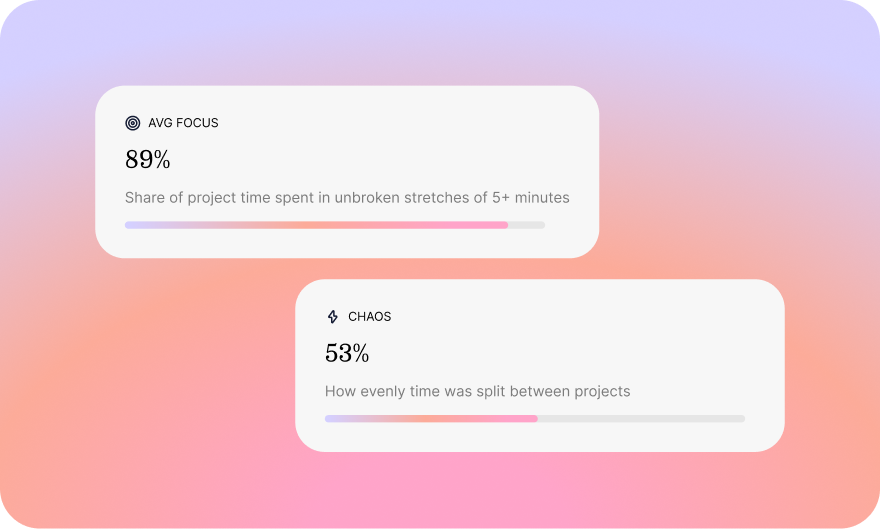
Most trackers measure the clock: app open, timer running, hours logged. Plouse measures the shape of your attention instead. Focus, here, is sustained, uninterrupted time on a single piece of work, not raw screen time. Long, quiet stretches count. Rapid context-switching doesn’t. That one rule is what keeps the numbers honest: a busy day full of pings can score low on focus, and a slower day of deep work can score high.
Real focus still moves
Focus doesn’t mean sitting frozen in one app. Real work hops between related tools, a browser, Figma and Photoshop can all serve the same task, and Plouse treats that as one continuous focused stretch. What breaks focus is the other kind of switching: a distraction (WhatsApp, YouTube, the news) or bouncing between unrelated projects. The difference between a designer flowing across three tools and someone flipping between three projects is the whole game, and Plouse is built to tell them apart.
What chaos looks like
Chaos is the day that never lands. Five minutes here, three minutes there, a reply, a tab, a notification, another tab. It feels productive because you never stop moving, but nothing gets the deep, unbroken time it needs. On your daily heatmap it shows up as a scatter of shallow activity instead of solid blocks. Naming it is the first step to noticing it while it’s happening, not at 6pm when the day is already gone.
Chaos isn’t the enemy
Some days are supposed to be chaotic. A support shift, a launch morning, a stretch of admin, these are meant to be fast and fragmented, and scoring them as “low focus” isn’t a failure. The point isn’t to make every day deep. It’s to see the difference clearly, so the chaos you chose feels different from the chaos that ambushed you, and so the mornings you meant for deep work actually stay that way.
Where to see it
Plouse keeps the focus-versus-chaos read in front of you without any effort: a focus percentage in your menu bar, a daily heatmap that shows where your deep stretches landed, and per-project focus so you can see which work pulls you in and which keeps slipping into noise. All of it on-device, from your own activity, nothing ever leaves your Mac.
Two hours will always look the same on a timesheet. Plouse is for everything the timesheet misses.