
 82%
82%
Always there, never in the way
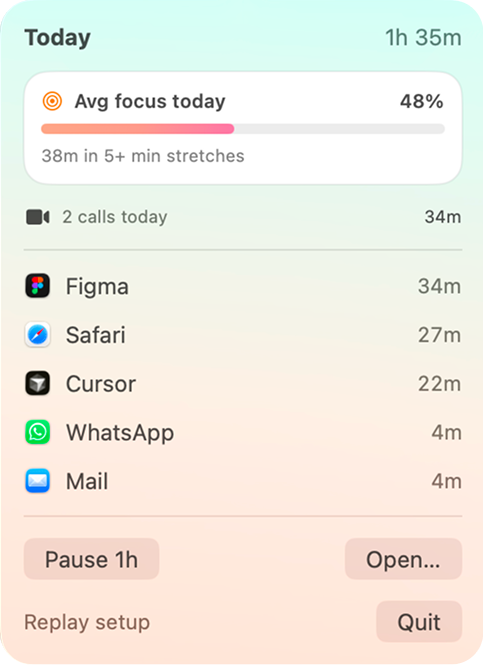
Lives in your Mac menu bar and quietly measures your focus in the background, no timers to start, nothing to remember.
Plouse quietly tracks your day on your Mac and shows you when you were truly in flow, sustained, uninterrupted, deep work, versus when it slipped into context-switching. Automatic, on-device, no timers.
Download for mac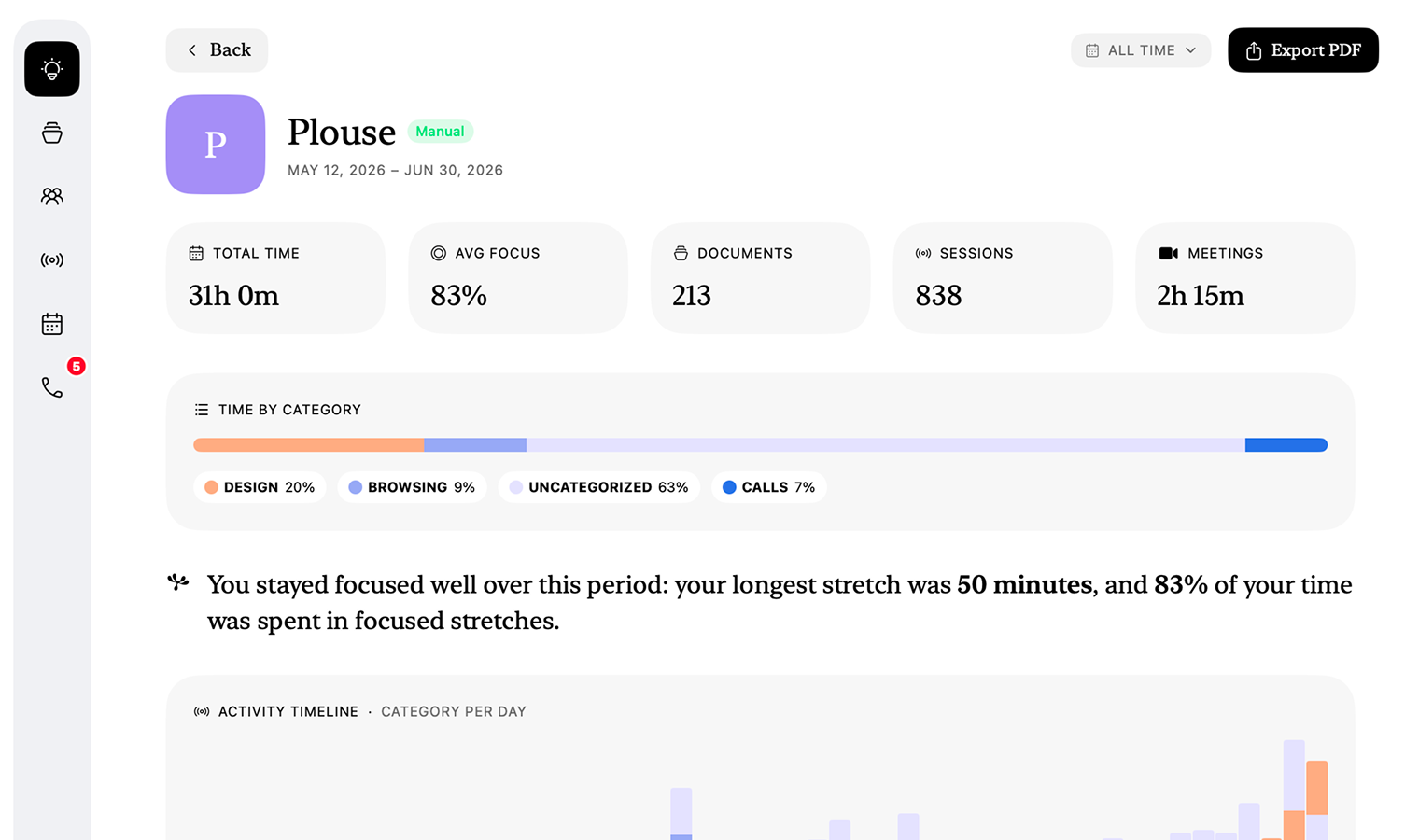
It runs quietly in the background and turns your day into honest focus insights. No timers to start, nothing to remember.
Download for mac
Lives in your Mac menu bar and quietly measures your focus in the background, no timers to start, nothing to remember.
Every app, site and document you touch is captured and categorised in real time, your day maps itself.
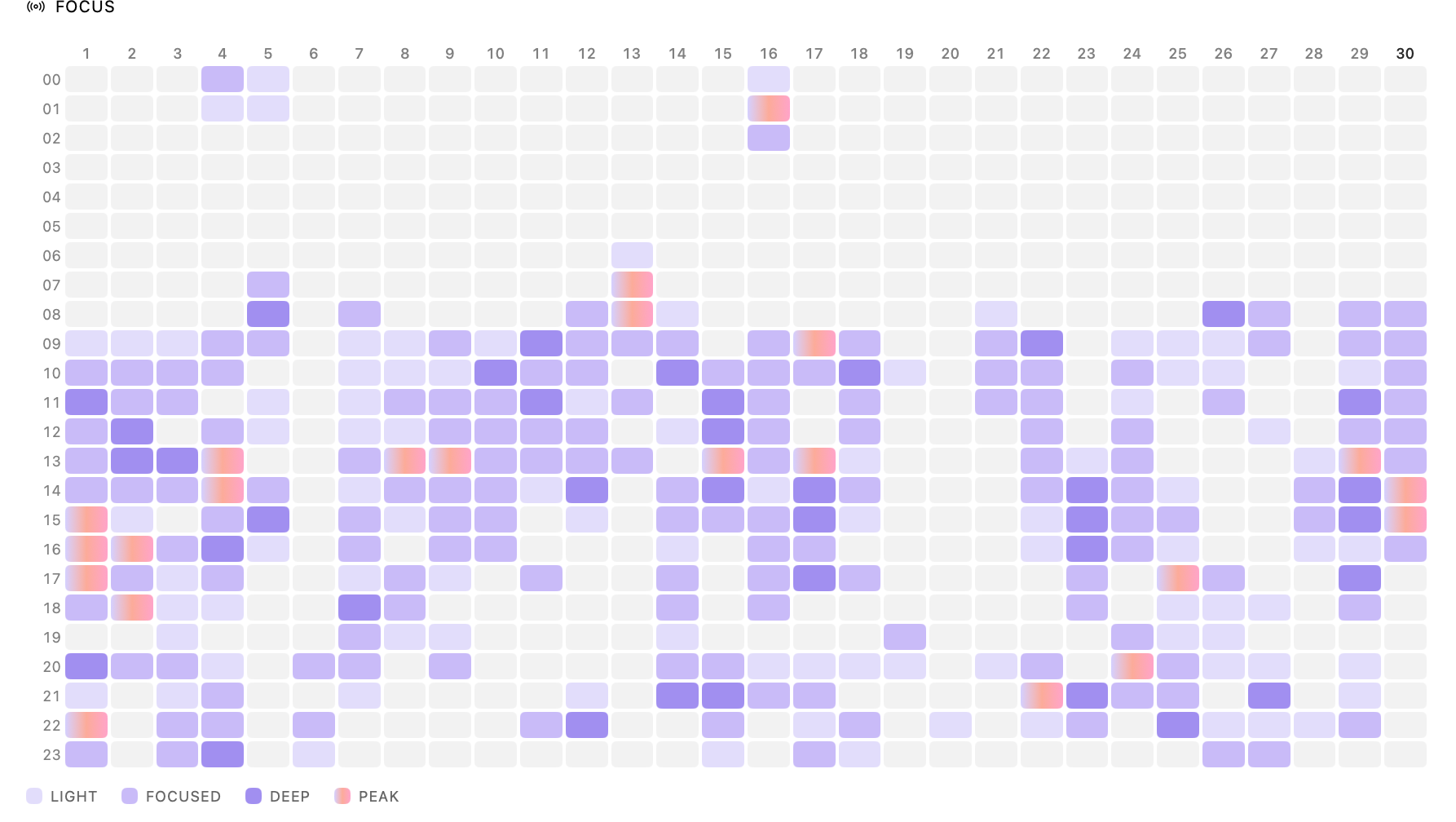
When you tend to be the most focused
A daily focus heatmap surfaces your natural peaks, so you can see when you do your strongest work.
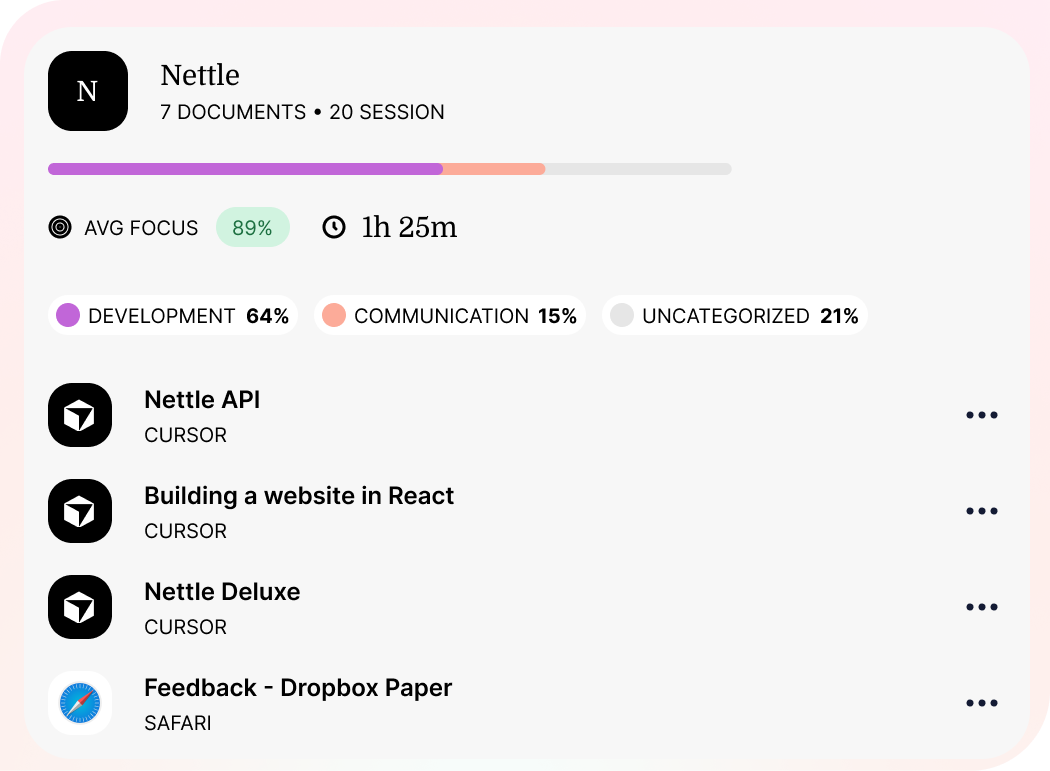
Plouse groups related activity into projects automatically and shows exactly where your time goes.
Zoom, Meet and Teams calls are detected and logged on their own, just tag who they were with.
On-device AI turns your week into plain-language insights and suggestions, private, and never off your Mac.
Private by default. Smart on your terms. Flexible at any scale.
Turn any date range into a polished report, total hours, focus, sessions, meetings and a full category breakdown. One click exports it to PDF, ready for clients, invoices or your own records.
See where today’s hours went, then widen the lens. Last week, this quarter, the past year. Any range you choose.
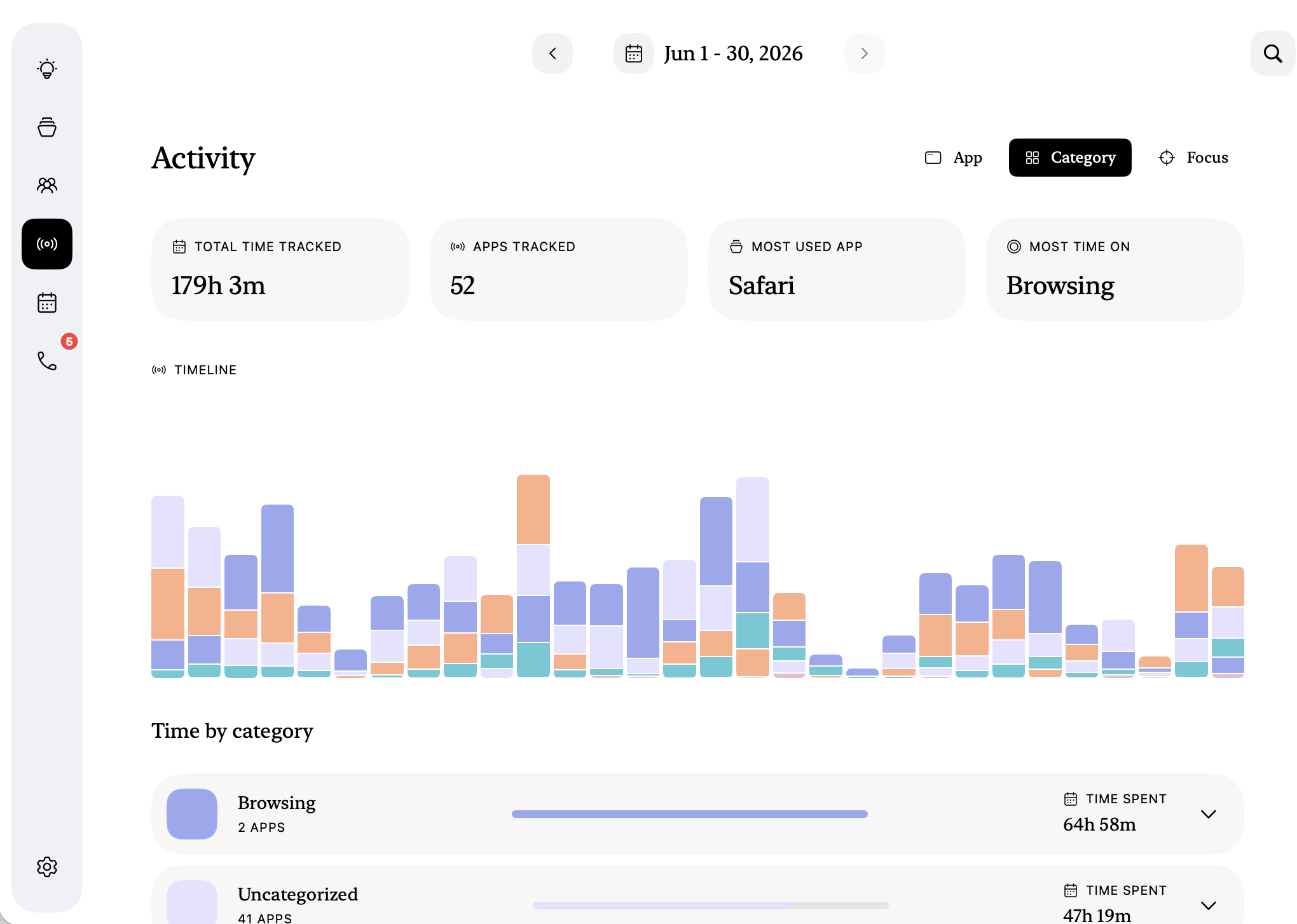
Plouse runs entirely on-device. Your activity is measured and stored on your Mac, with no account and nothing sent to the cloud, unless you choose to share team totals or point it at a cloud AI.

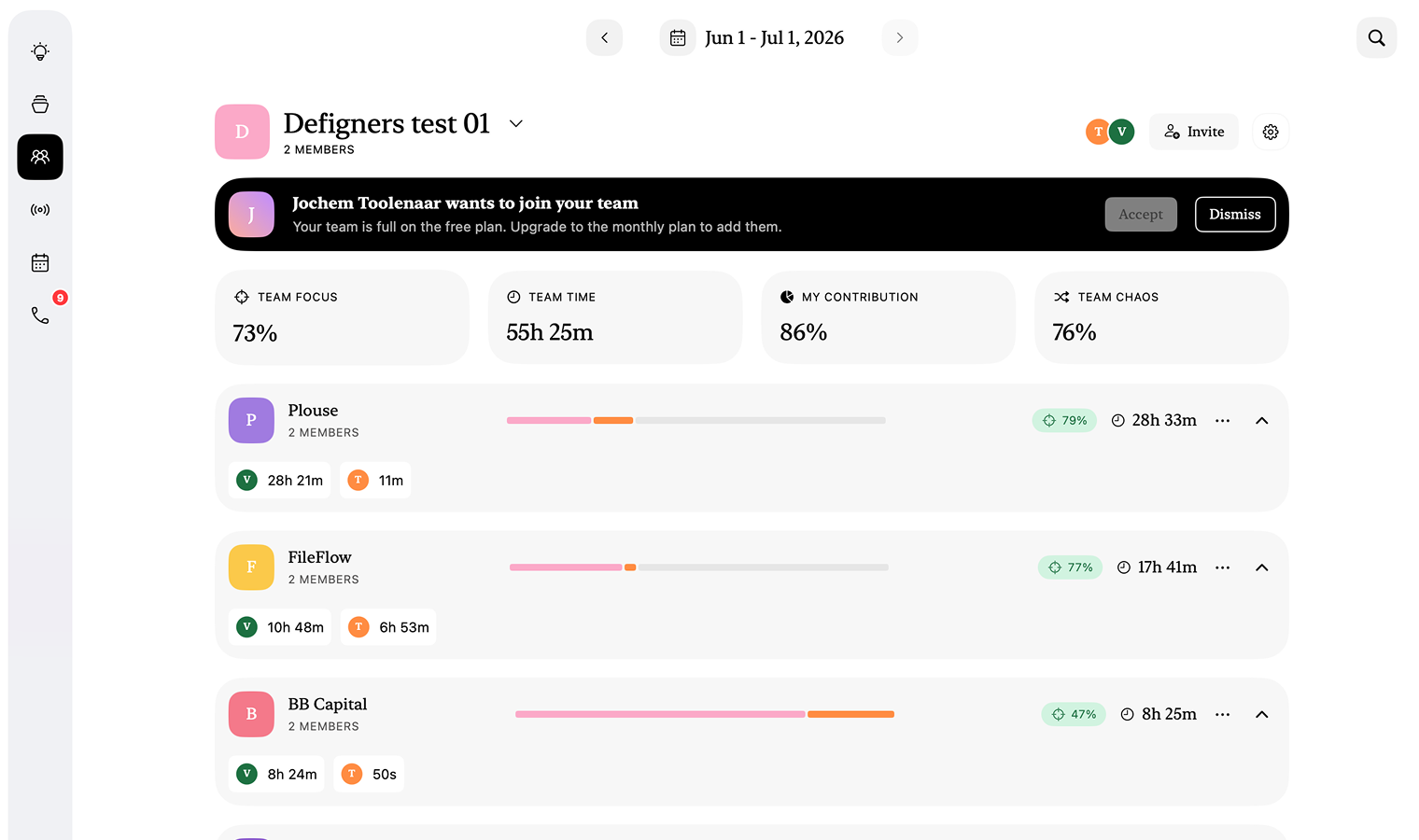
Spin up a team, invite people with a join code, and see where everyone’s focus really goes. Each person’s raw activity stays on their own Mac, only the totals they choose are shared.
Point Plouse at a local model or the AI of your choice, Claude, GPT, Gemini or fully on-device Apple Intelligence, for summaries, patterns and focus tips drawn from your own activity. Your choice, your data.
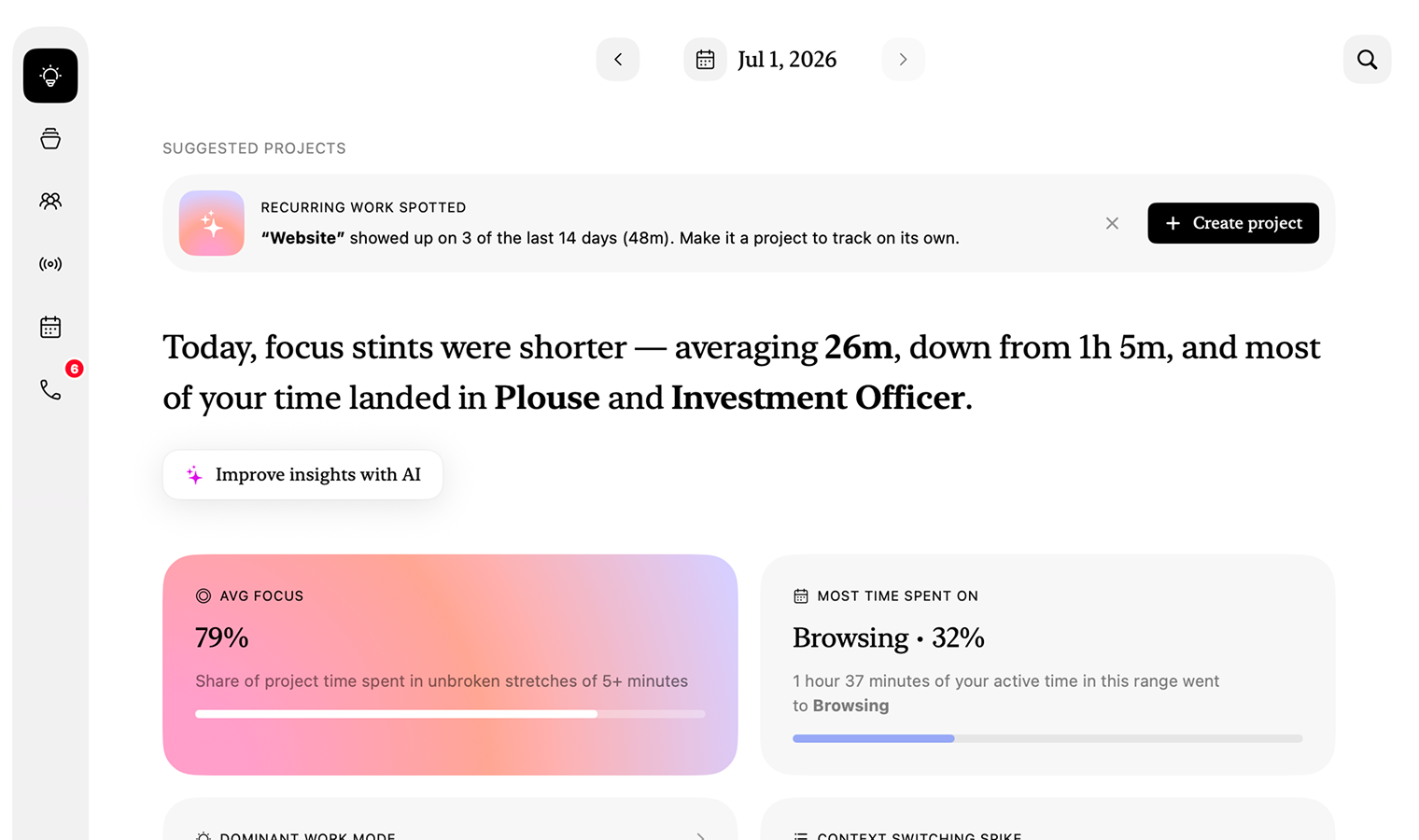
Or connect your own AI of choice to power up your data.




About us
Plouse started with a small frustration. Every time-tracking tool we tried either nagged us to start a timer or quietly shipped our day off to someone else’s servers. Neither helped us do better work, they just added one more thing to manage.
So we made the opposite. A focused app that reads the shape of your day on its own, keeps your raw activity on your Mac, and tells you something honest: when you were truly in flow, and when you were simply busy.
We’re a small, independent team that cares more about deep work than dashboards. No investors pushing us to harvest your data, no growth team inventing reasons to ping you. Just a tool we use every day, shared with people who work the way we do.
Pricing
Use Plouse solo for free, forever. Add a shared workspace when your team wants the bigger picture.
Free forever
For individuals. The full app, on-device, no account.
€12,99 / month
For teams of up to 5 members.
Custom pricing
For teams of 6+, tailored to your organisation.
Quick answers to the things people ask most.
By default, no. The solo app needs no account and stores everything locally on your Mac. Team features are opt-in: if you join a team, only the focus and project totals you choose are synced to your team’s private workspace, your raw activity stays on your machine.
No. It lives in your menu bar and detects what you’re working on automatically. Nothing to start, stop, or remember.
Sustained, uninterrupted time on a single project, not raw screen time. Long stretches of deep work count. Rapid context-switching does not. That’s what makes the daily and weekly numbers honest.
Related windows, files, and apps you tend to use together are clustered into a single project automatically. You can rename, merge, or split clusters whenever the grouping doesn’t match how you think about your work.
Yes. The more you use it, the sharper it gets, and everything it learns stays yours. Most time trackers start from zero every day. Plouse doesn’t. It quietly builds up an understanding of your world, the projects you actually work on, how you like your time sorted, the people you meet with. Correct it once and it remembers: move a document to the right project, rename something, recategorise an app, and it gets it right next time. It’s the difference between a tool you configure and one that gets to know you.
macOS only for now. Other platforms aren’t on the roadmap yet.
Yes. Create a team, invite people with a join code, and see shared focus and project totals. Each member’s raw activity stays on their own Mac, only the totals they choose are synced to your team’s private workspace. Teams is a paid plan; the solo app stays free.